FPV Lawn Mowing Cutting the Field Sep 12th 2026, Cub Cadet Z2 54
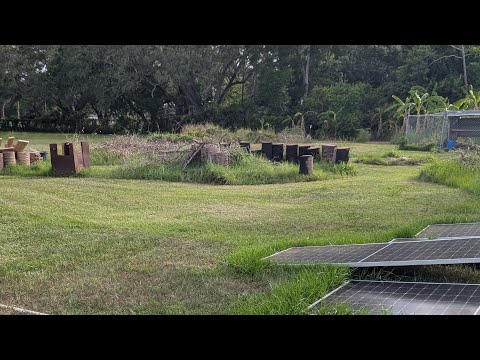
This video is an FPV (first-person view) lawn mowing run using a Cub Cadet Z2 54 zero-turn mower to cut a large field. The content focuses on the mowing session and FPV camera footage rather than a mechanical repair, showing prep, camera mounting, and the mowing passes across the field.
Build Sequence
1. Inspect mower and perform basic maintenance
Walk around the Cub Cadet Z2 54 and check fuel, oil, tire condition, and deck for debris. Top off fuel and oil and replace the air filter or blades if heavily worn. Verify mower is safe to operate.
2. Mount FPV camera and secure wiring
Attach the FPV camera to a suitable point on the mower (dash area or roll bar) using a mount or brackets. Route and secure wiring and the LiPo battery with zip ties so nothing interferes with controls or moving parts.
3. Power up and test FPV system
Power the camera and video transmitter, put on FPV goggles or check the receiver to confirm a clear live feed. Adjust camera angle and focus for the desired viewpoint before starting.
4. Perform mowing passes across the field
Start the mower and make systematic passes across the field with the deck engaged, maintaining a steady speed and overlap to ensure even cutting. Use the FPV feed to capture the operator viewpoint and record the mowing session.
5. Monitor equipment and refuel as needed
Periodically stop to check for deck clogs, blade condition, and fuel level. Clear any accumulated grass or debris from the deck and mower components to maintain cutting performance.
6. Post-mow cleanup and secure FPV gear
Shut down the mower, clean the deck and underside of accumulated grass, remove FPV camera or secure it for transport, and stow batteries safely. Inspect blades and fasteners and perform any required maintenance.
Frequently Asked Questions
How often should I replace mower blades on a 54" deck?
Replacement frequency depends on usage and terrain, but inspect blades regularly and replace them if they are bent, cracked, or excessively worn. Many users replace blades once a season or sooner if needed.
VIEW FULL ARTICLE →What maintenance should I do before a long mowing session?
Check oil and fuel, inspect air filter, verify tire pressure, ensure blades are sharp and secure, and clear any debris from the deck. Also test electrical accessories such as FPV gear before starting.
VIEW FULL ARTICLE →Do FPV transmitters require a lot of power?
FPV cameras and transmitters draw relatively small amounts of power but require a stable battery supply (commonly small LiPo packs). Monitor battery voltage and secure batteries so they do not loosen during operation.
VIEW FULL ARTICLE →Is it safe to use an FPV system while operating the mower?
Using FPV while operating heavy equipment carries safety risks. The operator should prioritize situational awareness; if using goggles, have a spotter nearby or use a secondary external monitor so you can still see obstacles and people.
VIEW FULL ARTICLE →Related Builds


Parts Used (7)
Standard replacement blades for a 54" deck; commonly replaced for cutting performance.
Typical oil type for many small engines; included as routine maintenance before a longer mowing session.
Common maintenance item for mower engines; improves performance in dust/grass conditions.
Small first-person-view camera used to capture the operator's viewpoint during mowing.
Transmits FPV signal to goggles/receiver; required for live FPV feed.
Mounting brackets, zip ties, and hardware to secure FPV camera to mower.